

Download Help
Just follow these steps to get started. Your download will contain All-In Trivia and First2Five. You'll only need to follow this procedure once. When the software has downloaded to your computer it's yours to keep and enjoy!

If your download did not appear automatically, please click here to start it.
A window will appear, click
Run or
Save.
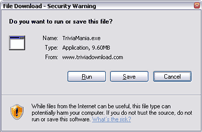
(A second window may appear asking you to choose to
Run again. Click
Run.)
If you clicked
Run in the previous step, your installation will begin automatically. If you clicked
Save
or
Save File, your desktop should show this icon. You need to double-click it to start the install.
The installer will guide you through the process. It will look like this:
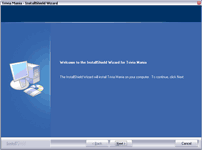
The TriviaMania.com software will open once the install is complete.
You can launch the software any time by double clicking on this icon on your desktop »
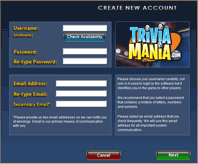
You need to create an account to play. Then choose a game from the lobby and have fun!
 Mininum System Requirements
- Windows 98/NT/ME/2000/XP or Vista
- Pentium system with at least 128mb of RAM
- Download size: approx 10.8MB
- Sound card (optional, if you want sound)
- screen resolution of at least 800 x 600 pixels with minimum of 256 colors

Copyright © 2026 TriviaMania.com.
Patent Pending. All rights reserved. Read our
Privacy Policy and
Terms.